Accounting software that keeps your books in your own OneDrive, Google Drive or Dropbox
Most accounting software stores your company's financial data inside a database that only the vendor can query directly. Counting Sheet works differently: your books are a real multi-sheet Microsoft Excel workbook, and that workbook lives in your own OneDrive, Google Drive or Dropbox, not in a database Counting Sheet operates.
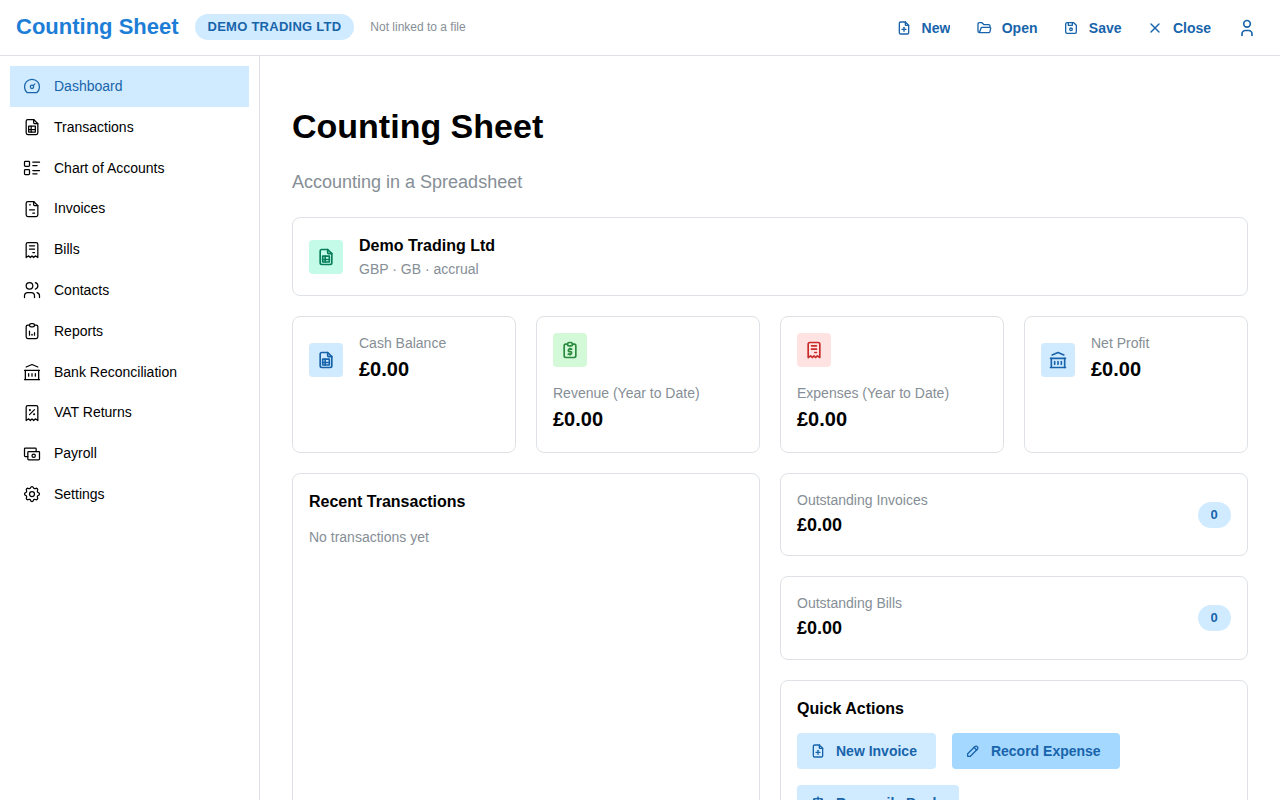
How it actually works
When you use Counting Sheet, every journal entry, invoice and report you create is written into an actual .xlsx file sitting in a folder you control. The app supports three cloud storage providers today: Microsoft OneDrive (including OneDrive for Business and SharePoint, where changes are written in place through the Microsoft Graph workbook API), Google Drive, and Dropbox. For local development, the same file can also sit on a local filesystem. There is no intermediate copy: the workbook the app writes to is the same workbook your storage provider shows you.
This is a deliberate architectural choice, not a marketing simplification. The sheet is the record and the store; nothing else holds your financial data.
What this means for your accountant
Because the file is genuine .xlsx, not an export format or a proprietary snapshot, your accountant can open it directly in Excel, Google Sheets or LibreOffice at any point, with no "export my data" button to hunt for and no waiting on a support ticket. What they see in that file is exactly what Counting Sheet is working from: the same chart of accounts, the same journal lines, the same balances. If they want to check a formula, verify a number by hand, or pull the workbook into their own working papers, they can, because it was never locked away in the first place.
The alternative: renting access to your own numbers
The usual SaaS accounting model puts your books inside a database the vendor owns and operates. You interact with your numbers through their interface, their API and, when you leave, their export tool, on their schedule and in whatever format they choose to support that week. Your data is technically yours, but access to it runs entirely through them. That arrangement works fine while the vendor is healthy, responsive and aligned with what you need. It becomes a problem the moment any of those three stops being true.
Built on infrastructure you already trust
OneDrive, Google Drive and Dropbox are not accounting-specific products; they are general-purpose cloud storage that most small companies already pay for and already back up, sync and share through, often as part of a wider Microsoft 365 or Google Workspace subscription. Keeping the books there means your financial records inherit the same access controls, version history and redundancy you already rely on for every other document, rather than depending on a second, accounting-specific vendor to keep a separate copy safe.
Zoom Buzz Ltd built Counting Sheet around this idea because ownership of the underlying file, not just the right to request an export, is what actually protects a small company's financial records over time. A workbook you can open yourself, today, in software you already have, is a different guarantee than a promise that an export will work when you eventually need it.
Frequently asked questions
Do I need OneDrive, Google Drive or Dropbox to use Counting Sheet?
Yes, Counting Sheet writes your books to one of these three providers (or, for local development only, the local filesystem); it does not store financial data in a database of its own.
Can I open the workbook myself without going through Counting Sheet?
Yes. Since it is a real .xlsx file in your own cloud storage, you or your accountant can open it directly in Excel, Google Sheets or LibreOffice at any time.
Does Counting Sheet support iCloud?
Not currently. OneDrive (including OneDrive for Business and SharePoint), Google Drive and Dropbox are the supported providers today.